 ings
ings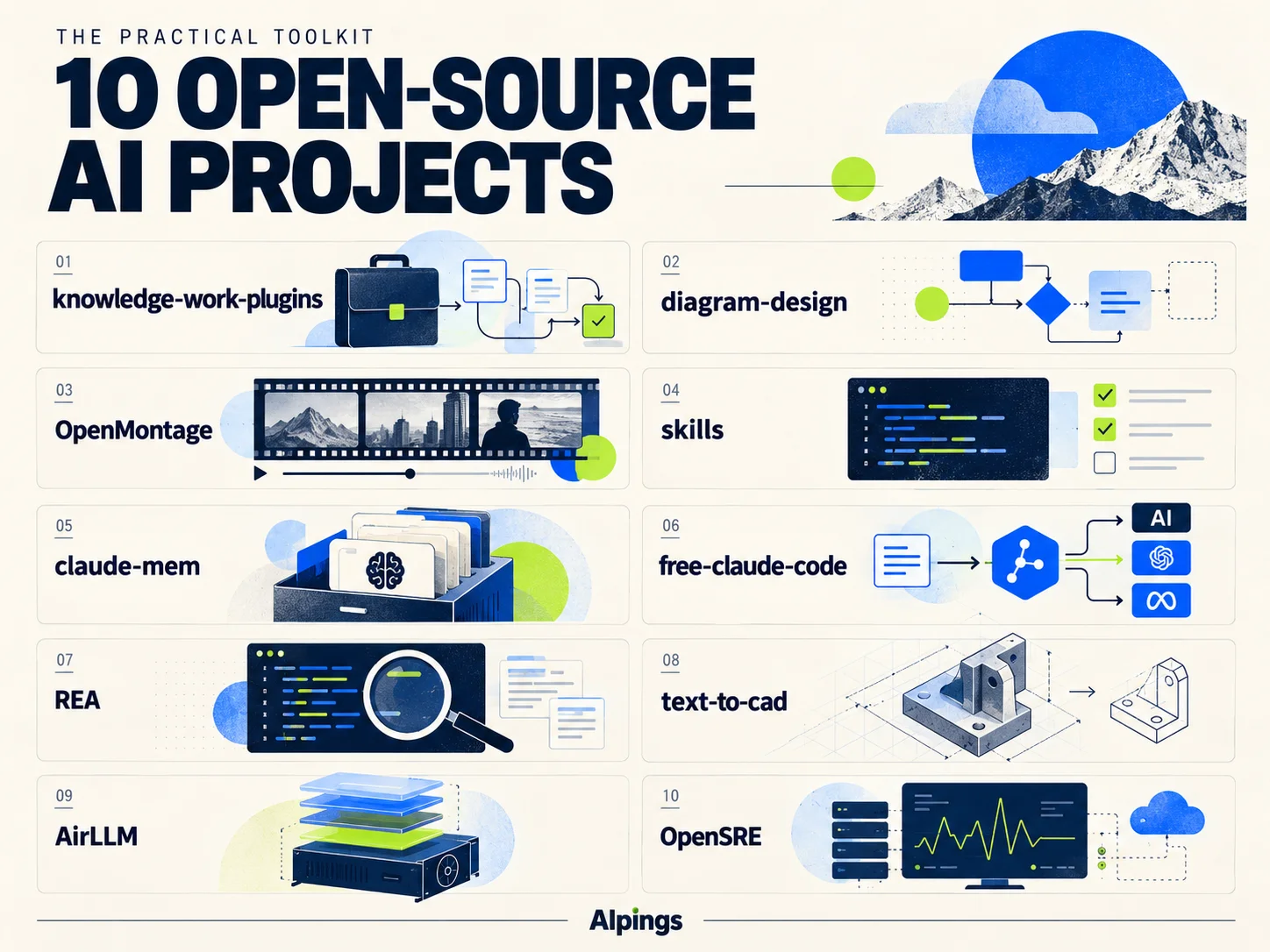
A flowchart, a narrated video, and a part ready for 3D printing may seem like three unrelated tasks.
Developers are now connecting the tools and methods behind those tasks to AI assistants. You describe a goal in natural language, and the assistant uses the relevant tools to work through analysis, production, and revisions. Some projects also add requirements checks, output validation, and a record of earlier work to make the process easier to continue.
Here are 10 open-source projects, moving from everyday office work and content creation to coding collaboration and specialized engineering. The order follows use cases rather than GitHub star counts.
01 | knowledge-work-plugins: Give AI the Context of Your Job
Ask a salesperson, a product manager, and a finance professional to “prepare some materials,” and each will picture a different deliverable.
Anthropic’s knowledge-work-plugins packages role-specific knowledge and workflows into plugins, primarily for Claude Cowork and also compatible with Claude Code.
Each plugin brings together relevant skills, tool connectors, and commands. The sales plugin, for example, can help research prospects, prepare for meetings, and review a pipeline. Other plugins organize tasks around their respective job functions.
The useful idea is that teams can add their own terminology, processes, and expectations. Instructions you repeatedly give an assistant can gradually become reusable working rules.
Explore knowledge-work-plugins on GitHub
02 | diagram-design: Turn Complex Information into a Clear Diagram
Some ideas take several paragraphs to explain but become clear in a single diagram.
Making that diagram still takes work: grouping information, connecting elements, and placing labels without creating a visual tangle.
diagram-design turns diagram design methods into an AI skill. It covers 45 diagram types, including architecture diagrams, flowcharts, sequence diagrams, timelines, and quadrant charts. Describe what you want to communicate, and the skill guides the assistant’s layout and styling. It can also adapt diagrams to a brand’s typography and colors.
The output is a self-contained HTML and SVG file that opens directly in a browser. It is a practical starting point for product proposals, business process documentation, and technical explanations.
Explore diagram-design on GitHub
03 | OpenMontage: Start Making a Video with a Plain-Language Brief
The next step beyond a static diagram is video.
OpenMontage organizes research, scripting, narration, footage, subtitles, and composition into production workflows that an AI coding assistant can coordinate.
You might request a short explainer about neural networks or a city montage built from real footage. The assistant selects a production approach and uses the relevant tools to carry it out.
The project supports cloud generation services as well as workflows built around local narration, open media, and local composition tools.
For creators, the interesting part is how those stages fit together. Actual costs, revision rounds, and final quality still depend on the subject, the chosen services, and the production requirements.
If you already use AI to write code, the next three projects address more familiar problems: unclear requirements, forgotten project context, and limited flexibility in choosing a model.
04 | skills: Clarify the Requirements Before AI Starts Coding
“Build me a membership system.”
That sounds specific until implementation begins. What benefits do members receive? What happens when a subscription expires? Are refunds supported? How should existing users migrate?
Matt Pocock’s skills repository collects working methods for improving collaboration with AI coding assistants. One of its skills, grill-me, uses questions to help clarify goals, boundaries, and trade-offs.
The value is straightforward: unresolved decisions surface before code is written.
If your recurring experience is “the AI built it quickly, but it is not what I wanted,” this collection offers useful examples of how to structure the conversation before implementation.
Explore Matt Pocock’s skills on GitHub
05 | claude-mem: Bring Project Context into the Next Conversation
After a few weeks on a project, you and your AI assistant have accumulated a lot of shared context.
Why was a particular approach abandoned? How was a bug fixed? Which files require special care? Not all of that information makes it into the documentation, but it can influence later work.
claude-mem captures information from working sessions, uses AI to compress and organize it, and retrieves relevant context in future conversations. Its layered retrieval process starts with an index and fetches details as needed.
For projects maintained over time, that can reduce repeated explanations. Stored context still needs judgment: earlier decisions should be checked against the current code and requirements.
06 | free-claude-code: Connect Coding Assistants to Different Models
An AI coding client and the model service behind it can be combined in different ways.
free-claude-code provides a proxy layer that connects requests from coding clients to different model providers. It also supports fallback models, allowing a failed request to be tried with another configured option.
This gives users another way to compare models, manage costs, or experiment with local models.
The “free” in the name depends on the services you actually connect. Free allowances, usage limits, and model capabilities are determined by those providers; the project does not make every model permanently free.
It is best suited to people willing to spend some time configuring their tools and who want more control over model selection.
Explore free-claude-code on GitHub
The remaining projects move into more specialized work: analyzing software, designing parts, running large models, and investigating production incidents.
07 | REA: Let AI Help Investigate How Software Works
You can see what a software feature does without knowing how it is implemented.
REA, short for Reverse Engineer Anything, connects AI assistants to reverse-engineering tools such as Ghidra, IDA, and Hopper. It helps inspect pseudocode, assembly, and call relationships, and also supports analysis of JavaScript and Electron applications.
The emphasis is on following evidence and making conclusions traceable.
In a case study presented by the project, a sound-panning function from the older game DX-Ball was reconstructed, passed 3,205 test cases, and reproduced all 63 bytes of the compiled function.
For software preservation and program-behavior research, REA offers an approach worth exploring.
08 | text-to-cad: Turn a Description into a Part Model
If you want to make a bracket or a device enclosure, the first obstacle may be learning CAD software.
text-to-cad lets an AI assistant create and modify CAD models from text or images. STEP is its main output format, with export options including STL and 3MF.
You can describe a bracket’s dimensions, hole positions, and wall thickness, generate an initial model, and then refine it. The project also includes engineering drawings, printability checks, and checks for different manufacturing processes.
For makers and hardware prototyping teams, this lowers the barrier to getting started. Dimensions, assembly fit, and strength still need inspection and physical validation after the model is generated.
09 | AirLLM: Try Larger Models with Limited GPU Memory
GPU memory is often the first constraint when trying to run a large language model on your own computer.
AirLLM loads model layers progressively to reduce the amount of weight data occupying GPU memory at the same time. Its documentation describes running certain 70B models on a single GPU with 4GB of VRAM.
That approach makes some experiments possible despite limited VRAM. However, model files still need storage space, and moving layers involves data transfers.
Evaluate GPU memory, disk space, system memory, and actual inference speed together. A model being able to run does not automatically make it convenient for daily use.
AirLLM is worth investigating if you want to study large-model inference on constrained hardware.
10 | OpenSRE: Use AI to Help Investigate Production Incidents
When a production service suddenly slows down, the explanation may be spread across logs, metrics, traces, and a recent deployment.
OpenSRE provides an open-source framework for building AI site reliability engineering agents that use this scattered information to help investigate incidents. It can run on your own infrastructure and supports both command-line and programmatic interaction.
For operations teams, the opportunity is to reduce repetitive work involved in collecting clues, comparing information, and documenting an investigation.
The project is currently labeled Public Alpha. Its interfaces and integrations may continue to change, making a controlled evaluation environment a sensible place to start.
Start with a Task You Already Need to Do
You do not need to install all 10 projects at once.
Choose something you need to do this week: diagram a business process, clarify the requirements for a feature under development, or turn a script into a first video draft.
Try it on a real task. Note how much setup it takes, how long you spend revising the output, and whether the workflow is reusable. That will tell you which project deserves a place in your working routine.